
I’ve worked with enough product and engineering teams to see a clear pattern. Everyone wants to build better mobile apps. Faster. With smaller teams. And tighter budgets.
In 2026, that pressure is even higher. Mobile apps are no longer just about basic features. Users expect smooth design, fast performance, personalization, and regular updates. At the same time, development teams are expected to ship faster without increasing cost.
AI development is no longer experimental in mobile apps. It is already helping teams design screens, write code, test apps, understand user behavior, and even add smart features inside the app.
This article is not another random list of AI tools. I’ve focused on tools that actually help mobile teams work better in real projects. I’ll walk you through where AI fits in the mobile app lifecycle and the top AI tools for mobile app development in 2026, along with clear use cases.

Where AI Fits in the Mobile App Development Lifecycle
When people hear “AI in mobile app development,” many times they think only about AI chatbots or smart features. In reality, AI helps much earlier and across the entire development lifecycle. Here’s where AI tools add the most value in 2026.
1. Idea validation and planning
AI tools can analyze market data and competitors. This helps teams validate ideas before writing a single line of code.
2. UI and UX design
Design-to-code AI tools speed up wireframes and user flows. Teams can move from idea to clickable prototype much faster.
3. Code writing and improvement
AI-assisted coding tools help developers write cleaner code and reduce repetitive work. This saves time and lowers human error.
4. Testing and Quality Assurance
AI-driven testing tools generate test cases automatically and catch bugs early. This improves release quality and reduces last-minute surprises.
5. Analytics and User Behavior
AI tools analyze how users interact with the app. Teams can understand drop-offs and retention patterns without manual analysis.
6. In-app AI Features
Chat, recommendations, voice support, and personalization are now easier to build using ready AI platforms.
Top AI Tools for Mobile App Development in 2026
I’ve grouped these tools based on how mobile teams actually work. This makes it easier for decision makers to see where each tool fits. We’ll start with design, because this is where many teams lose time early.
1. AI Tools for UI/UX Design & Prototyping
Good design decisions early can save weeks of rework later. In 2026, AI-powered design tools help teams move faster from idea to usable screens.
a. Uizard
Uizard uses AI to turn text descriptions or rough sketches into app UI designs.

Why it’s useful:
- Reduces dependency on long design cycles
- Helps non-designers visualize ideas
- Speeds up early-stage prototyping
Simple use case:
A startup founder describes an app idea in plain English. Uizard generates a basic mobile UI that the team can review and improve.
Best for:
Early-stage startups and product teams validating ideas.
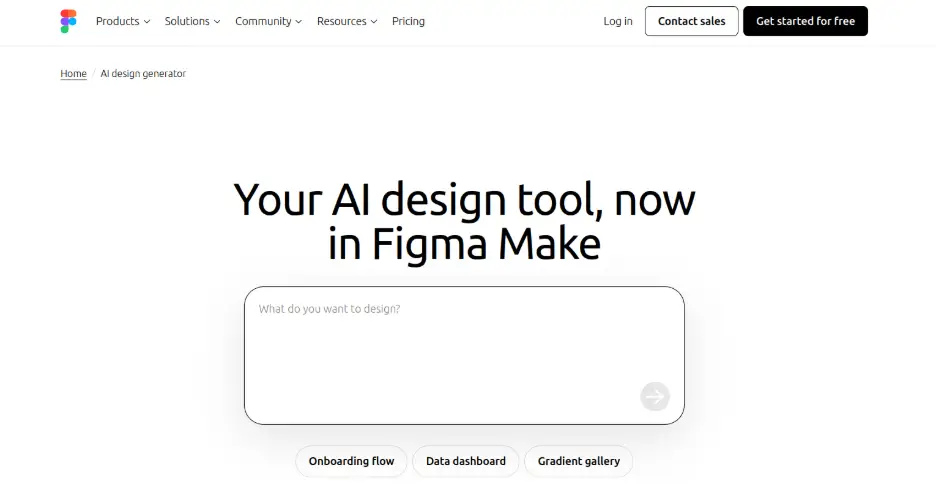
b. Figma AI (Built-in AI Features)
Figma’s AI features help with layout suggestions, content generation, and design consistency.
Why it’s useful:
- Works inside existing workflows
- Improves design speed without changing tools
- Helps maintain consistency across screens
Simple use case:
A designer uses AI to auto-generate content and adjust layouts for different screen sizes.
Best for:
Teams already using Figma for mobile app design.
2. AI Tools for Writing & Improving Mobile App Code
Writing mobile app code takes time. Reviewing it takes even longer. In 2026, AI coding tools help developers move faster without sacrificing quality. These tools work across Android, iOS, and cross-platform frameworks.
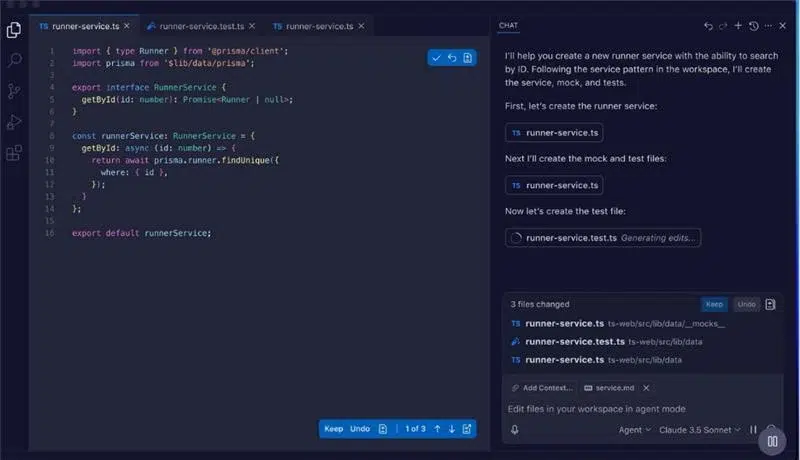
a. GitHub Copilot
GitHub Copilot suggests code as developers type, based on context and comments.
Why it’s useful:
- Speeds up development
- Reduces repetitive coding
- Helps onboard new developers faster
Simple use case:
A developer writes a comment describing a feature. Copilot generates the basic logic for the screen or API call.
Best for:
Android, iOS, Flutter, and React Native teams.
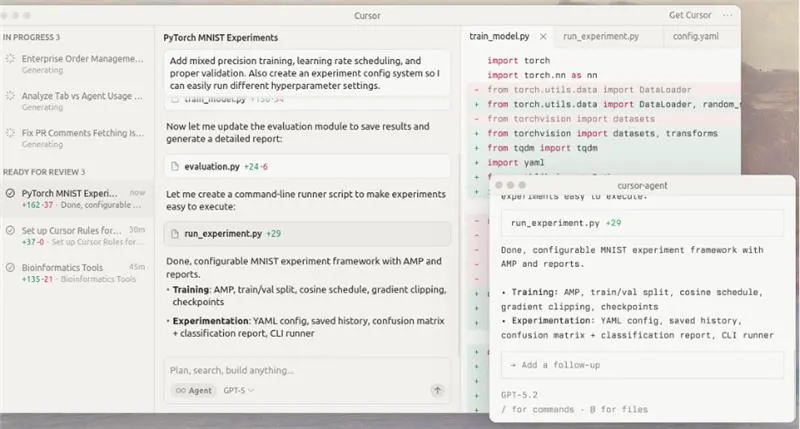
b. Cursor
Cursor is an AI-powered code editor that understands your entire codebase and lets you edit code using plain English.
Why it’s useful:
- Deep context across files
- Faster refactoring and debugging
- Useful for both new and existing codebases
Simple use case:
A developer asks Cursor to “optimize this screen for performance” or “convert this logic to async.” Cursor updates multiple files correctly in one go.
Best for:
Teams working on complex mobile apps with large codebases.
3. AI Tools for Testing, QA & Bug Detection
Testing is one of the most time-consuming parts of mobile app development. Yet it’s also the most critical. In 2026, AI-powered testing tools help teams catch issues early, reduce manual testing, and release with more confidence.
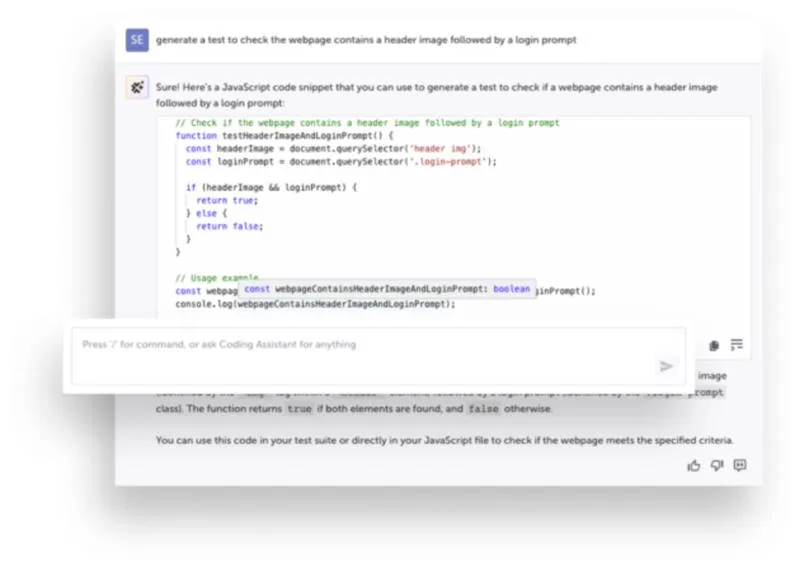
a. Testim
Testim uses AI to create and maintain automated tests for mobile and web apps.
 Why it’s useful:
- Tests adapt to UI changes
- Less test maintenance
- Faster release cycles
Simple use case:
A UI update breaks several test cases. Testim automatically adjusts tests instead of failing them.
Best for:
Agile teams releasing mobile apps frequently.
b. Applitools
Applitools uses AI-based visual testing to detect UI issues that traditional tests miss.
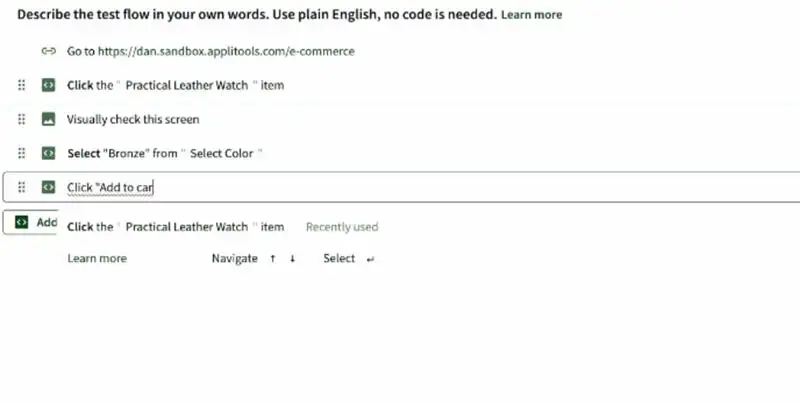
Why it’s useful:
- Finds layout and visual bugs
- Works across devices and screen sizes
- Reduces manual visual checks
Simple use case:
A button looks fine on Android but breaks on iOS. Applitools flags the issue instantly.
Best for:
Teams building apps for multiple devices and platforms.
4. AI Tools for App Analytics & User Behavior
Building a mobile app is only half the job. Understanding how users actually use it is where real improvement happens.
In 2026, AI-powered analytics tools go beyond basic dashboards. They help teams understand behavior, predict churn, and make better product decisions.
a. Mixpanel (AI Insights)
Mixpanel uses AI to surface patterns in user behavior and product usage.
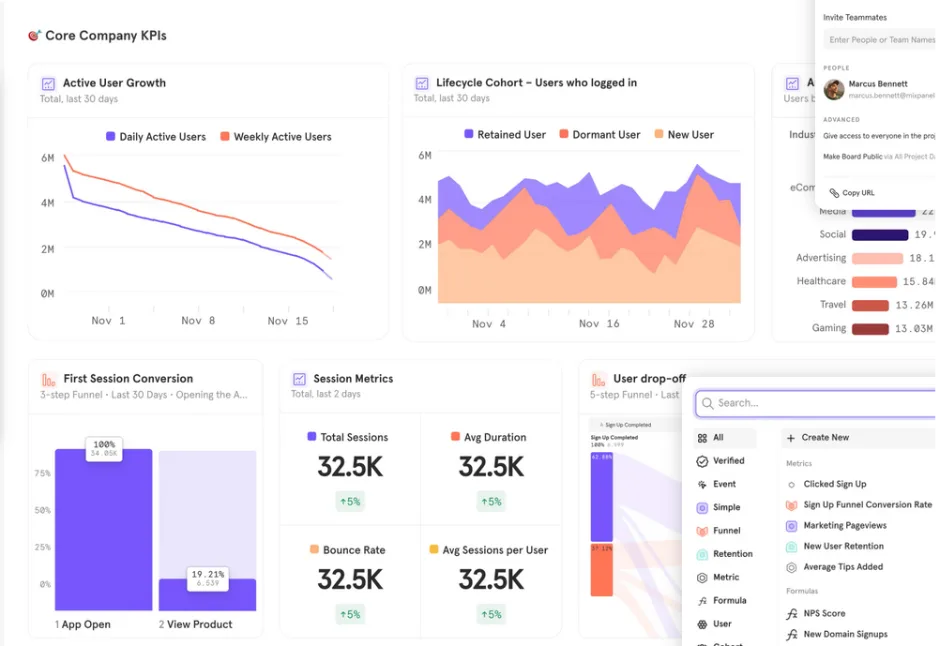
Why it’s useful:
- Clear visibility into user journeys
- Identifies drop-offs and friction points
- Helps prioritize features
Simple use case:
A product team sees users dropping off during onboarding. Mixpanel highlights the exact step causing the issue.
Best for:
Product managers and growth teams.
b. Firebase Analytics with AI Features
Firebase Analytics uses machine learning to provide insights on app usage and engagement. One of its AI framework for full-stack apps is Genkit.

Why it’s useful:
- Deep Android integration
- Easy setup
- Works well for startups and mid-sized teams
Simple use case:
A team tracks feature usage and receives AI-driven insights on engagement trends.
Best for:
Android-first apps and growing startups.
5. AI Tools for In-App AI Features (Chat, Voice & Personalization)
Users now expect mobile apps to feel smart. They want personalized content and natural interactions. In 2026, adding AI features inside mobile apps is no longer complex or expensive.
a. OpenAI API (Chat & Assistants)
OpenAI APIs allow teams to add conversational AI and intelligent assistants inside mobile apps.
Why it’s useful:
- Natural conversations
- Supports multiple languages
- Easy to integrate with existing systems
Simple use case:
A mobile app adds an in-app assistant to answer user questions and guide onboarding.
Best for:
Apps focused on support, education, or engagement.
b. Recommendation Engines (Custom AI Models)
AI models personalize content, products, or features based on user behavior. An AI development company can help you build custom models for your needs.
Why it’s useful:
- Higher engagement
- Better retention
- Improved conversions
Simple use case:
A fitness app recommends workouts based on user activity and preferences.
Best for:
Content-heavy and commerce apps.
How to Choose the Right AI Tools for App Development
One mistake I see often is teams trying to use too many AI tools at once. More tools do not mean better results. The right AI tools depend on your team, your product, and your goals.
Here are a few practical points I always suggest decision makers consider.
1. Start with your biggest bottleneck
Is your team slow at design? Testing? Releases? Choose AI tools that solve one real problem first.
2. Consider your platform
Some tools work better for Android. Others are stronger for iOS or cross-platform frameworks like Flutter or React Native.
3. Look at team maturity
Small teams need simple tools with fast setup. Larger teams may need deeper control, security, and customization.
4. Don’t ignore security and data privacy
AI tools often touch source code and user data. Make sure they meet your compliance and security standards.
5. Measure ROI
Ask a simple question: Does this tool save time, reduce cost, or improve quality? When chosen correctly, AI tools act as leverage. When chosen blindly, they become overhead.
Common Mistakes Teams Make with AI Tools
AI tools are powerful, but they are not magic. One common mistake is depending too much on AI and skipping human review. This often leads to poor design decisions or unstable code.
Another issue is ignoring security and data privacy, especially when tools access source code or user data. Many teams also add too many AI tools at once, which creates confusion instead of speed.
Finally, teams forget to train people properly. Without clear usage guidelines, even the best AI tools fail to deliver value.
Final Thoughts
AI is changing how mobile apps are built, but it is not replacing developers or product teams. What it really does is remove friction. It helps teams move faster, reduce errors, and focus on what actually matters.
In 2026, the advantage will not come from using the most AI tools. It will come from using the right ones, in the right places. Teams that treat AI as leverage, not a shortcut, will build better apps and make smarter decisions.
Start small. Measure impact. Scale what works. That’s where real value comes from.
FAQs
1. Are AI tools for app development safe?
Yes. But only when chosen carefully. Many AI tools are built with enterprise grade security and compliance. The risk comes from using tools without understanding how they handle source code and user data. Decision makers should always review data privacy policies and compliance standards before adoption.
2. Will AI tools reduce the need for mobile developers?
No. AI tools do not replace developers. They reduce repetitive work and speed up execution. Teams still need experienced developers to make architectural decisions and ensure quality. AI helps developers become more productive.
3. How should a company start using AI in mobile app development?
Start with one clear problem. It could be slow design cycles or frequent bugs. Introduce a single AI tool. Then measure its impact and train the team properly. Once value is proven, expand gradually. This approach reduces risk and delivers better ROI.
